YouTube Shorts Automation Tool Guide

Stella writes SwipeStory guides about AI faceless video creation, short-form video strategy, creator tools, and automated publishing workflows.
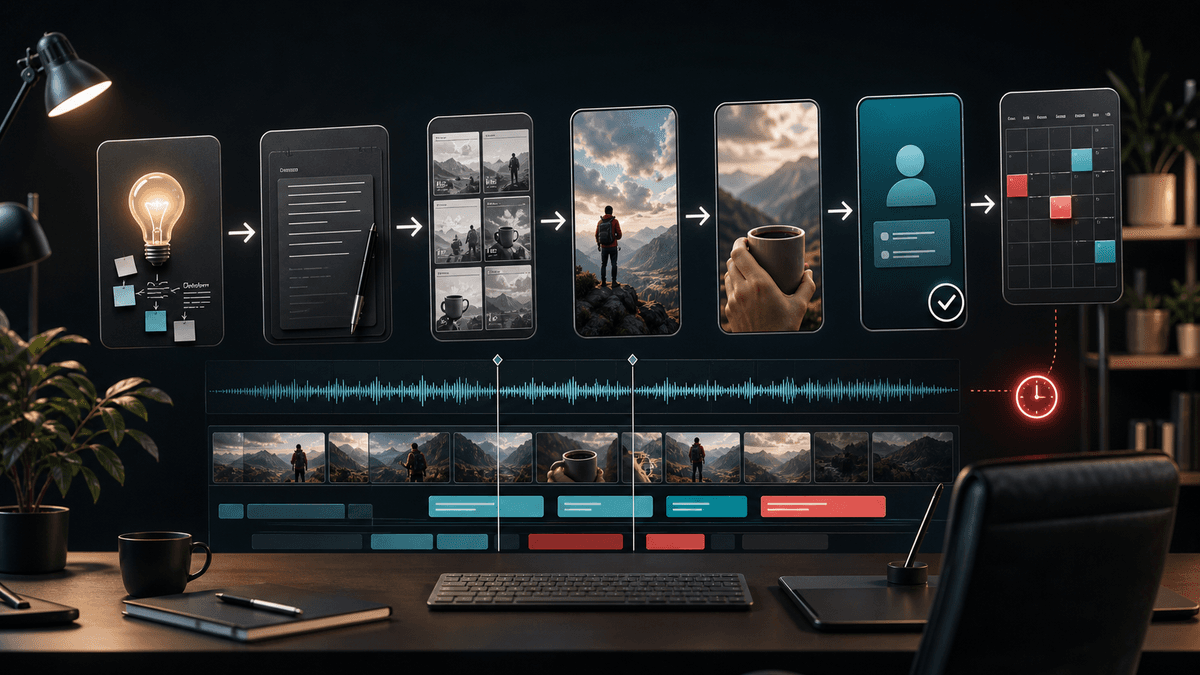
A good YouTube Shorts automation tool should help you create better Shorts faster, not just publish more files. If your bottleneck is turning ideas into complete vertical videos, start with SwipeStory's AI YouTube Shorts generator. If your videos are already edited and you only need a calendar, YouTube Studio or a social scheduler may be enough.
Updated May 19, 2026. We checked current YouTube Help, YouTube Data API, YouTube API Services policies, YouTube synthetic content guidance, Buffer, and SwipeStory pages before writing this guide. YouTube publishing, API, and disclosure rules can change, so use the linked official sources as your final reference before building a high-volume workflow.
Quick Answer: What Should a YouTube Shorts Automation Tool Do?
A YouTube Shorts automation tool should handle the part of the workflow that is actually slowing you down.
| Bottleneck | Best tool type | What it should automate |
|---|---|---|
| You need videos from ideas or scripts | AI Shorts generator | Script, visuals, voiceover, captions, music, rendering, and scheduling |
| You already have finished videos | YouTube Studio scheduler | Publishing time for a private upload that is ready to go public |
| You manage many channels or clients | Social media scheduler | Calendar planning, drafts, approvals, cross-posting, and basic analytics |
| You are building a custom app | YouTube Data API workflow | Authenticated uploads, metadata, privacy settings, and scheduled publish times |
For most faceless creators, the production step is harder than the posting step. A queue only helps after you already have a strong hook, a clean script, accurate captions, a watchable edit, and a review process. That is why the best automated Shorts creator is usually a creation workflow plus scheduling, not a scheduler by itself.
If you need the idea-to-video path, SwipeStory is built for it. It turns prompts or scripts into vertical videos with AI-generated visuals, voiceovers, captions, background music, editing, rendering, and scheduled publishing for TikTok, YouTube Shorts, and Instagram Reels.
Start With YouTube's Native Scheduling Baseline
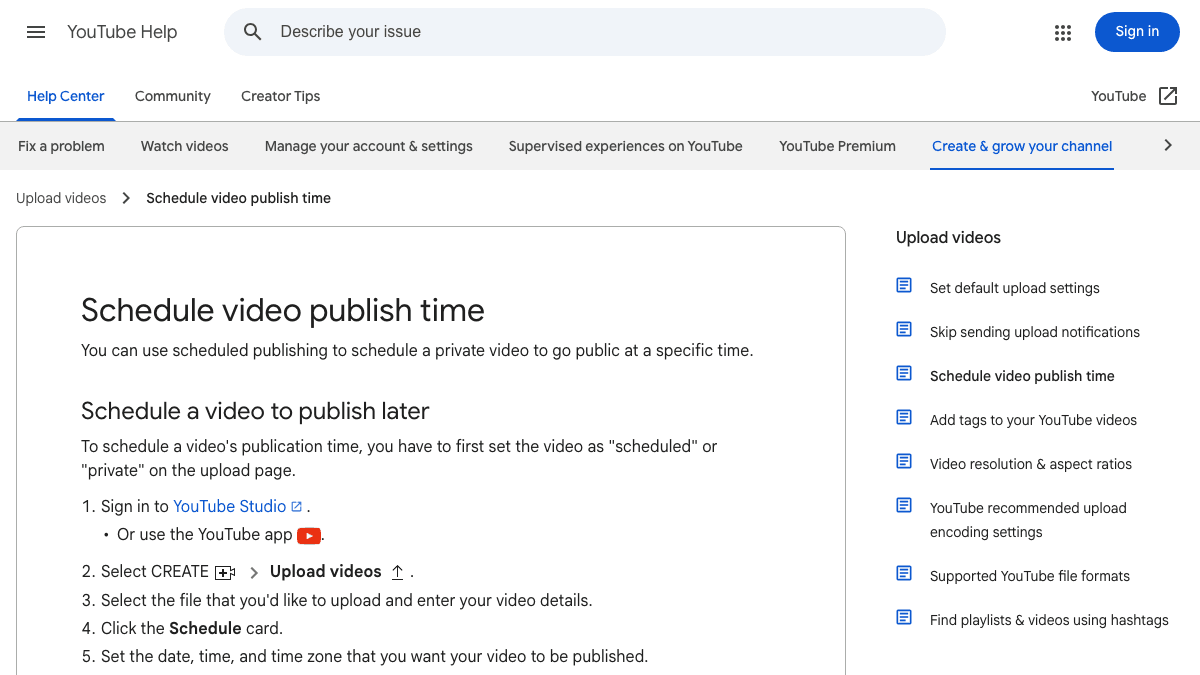
YouTube's own scheduler is the safest baseline because it shows what YouTube expects from a finished upload. YouTube Help says scheduled publishing lets you schedule a private video to go public at a specific time. The workflow starts by uploading the video, choosing schedule settings, selecting a date and time, and then scheduling the post.
That native path is useful when:
- The Short is already final.
- You are publishing to one channel.
- You only need a controlled release time.
- You are comfortable reviewing metadata inside YouTube Studio.
It is less useful when you need AI script generation, generated visuals, voiceover, caption timing, recurring series planning, or cross-platform posting. In those cases, YouTube Studio solves the final scheduling action, but not the actual work of making a Short.
Use this rule: if the video file is done, use a scheduler; if the video does not exist yet, use an AI Shorts workflow first.
Know the Current YouTube Shorts Defaults
Automation breaks when the output does not match the platform. Before you schedule anything, make sure your tool creates Shorts that fit YouTube's current rules and viewer expectations.
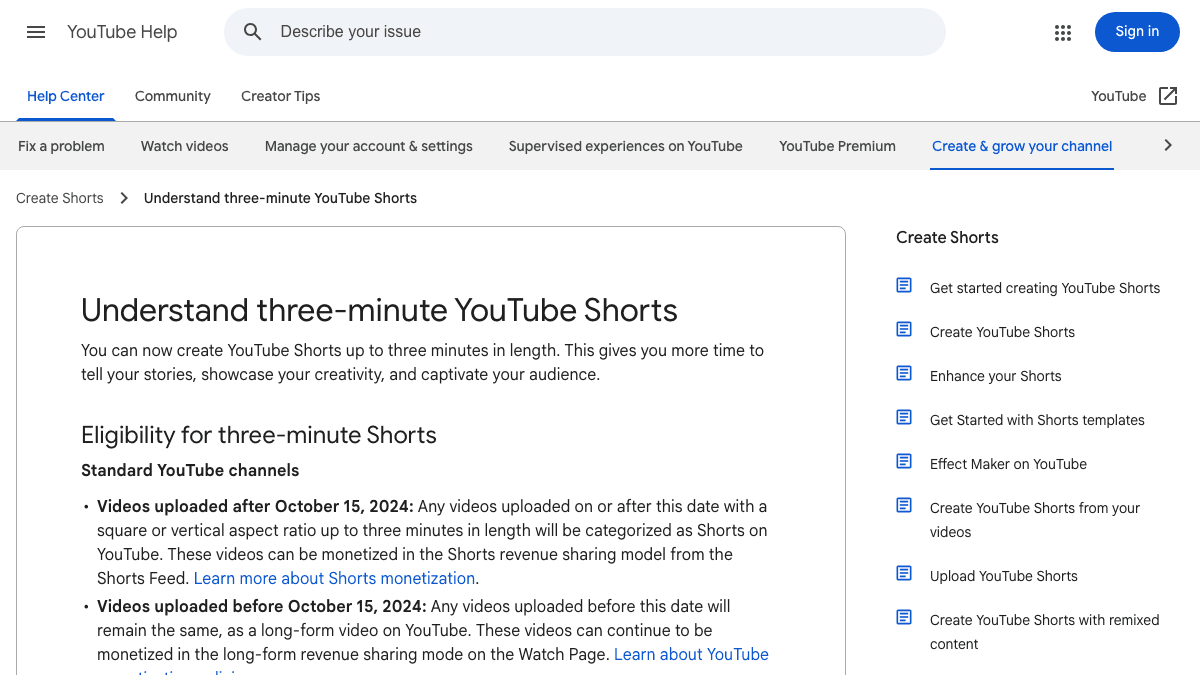
YouTube Help says creators can make Shorts up to three minutes long. It also explains that eligibility depends on videos uploaded after October 15, 2024, and that a Short should be square or taller than it is wide. For most automated Shorts, the practical default is still a 9:16 vertical video between 20 and 60 seconds because it is easier to script, review, and test.
Use this default production brief:
| Setting | Practical default for automation |
|---|---|
| Format | 9:16 vertical master |
| Length | 20 to 60 seconds for most first drafts |
| Hook | One clear line in the first two seconds |
| Captions | Short mobile-readable lines with high contrast |
| Voice | Clear voiceover that is easy to understand without rewinding |
| Review | Check title, first frame, captions, factual claims, music, and disclosure |
Do not automate around the maximum length just because YouTube supports longer Shorts. A three-minute Short can work for a story, tutorial, or commentary format, but it needs a stronger structure than a 30-second tip. For faceless channels, the repeatable format matters more than the raw duration.
What the YouTube Data API Actually Automates
The YouTube Data API can support upload and scheduling workflows, but it does not remove the need for consent, review, and platform-specific metadata. The video resource documentation lists status.publishAt, status.privacyStatus, and status.containsSyntheticMedia among video status fields. The same page says status.publishAt can be set only when a video's privacy status is private and the video has never been published.
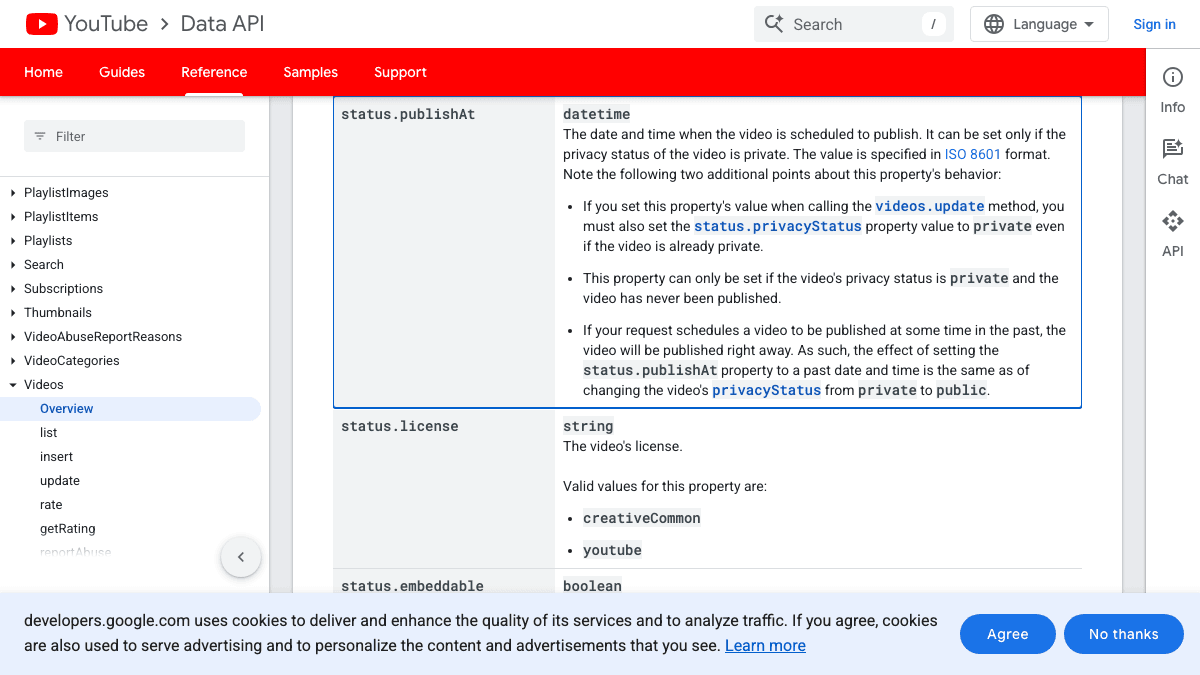
For creators, this means API-based automation is best understood as controlled publishing, not a hidden posting bot. A serious tool should make these fields visible before upload:
- Title and description.
- Privacy status.
- Scheduled publish date and time.
- Made-for-kids status where relevant.
- AI or synthetic media disclosure fields where relevant.
- Captions, language, and playlist choices when supported.
YouTube API Services policies also matter. The policy page says API clients that perform write operations may suggest values, but users must have final control over the data that will be published to YouTube. That principle is important for automation: a tool can help draft a title, description, or schedule, but the creator should be able to review and approve what gets sent.
If a vendor describes Shorts automation as "fully hands-off" without explaining review, consent, account connection, metadata, or platform limits, treat that as a warning sign.
Compare the Main Tool Categories
There are four common automation paths. They are often marketed with similar language, but they solve different problems.
| Tool category | Best for | Weakness |
|---|---|---|
| YouTube Studio | Simple scheduled publishing for finished uploads | No AI production workflow |
| Social scheduler | Calendar, drafts, approvals, cross-posting, and team workflows | Usually not a full video generator |
| AI video generator | Creating Shorts from prompts, scripts, or faceless ideas | Needs human review before publishing |
| Custom API workflow | Advanced internal tools and large creator operations | Requires engineering, policy compliance, and OAuth review |
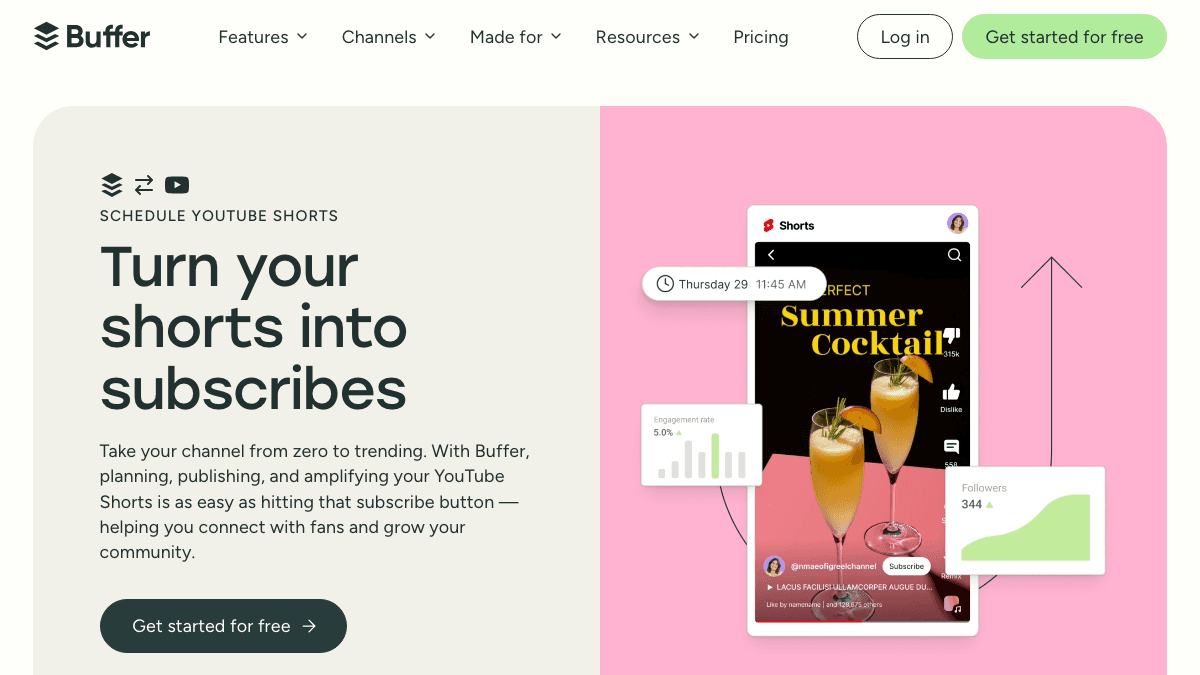
Buffer's YouTube Shorts product page is a good example of the social scheduler category. Its page positions Buffer around planning, previewing, collaborating, and publishing YouTube Shorts. Its FAQ currently says Buffer supports scheduling YouTube Shorts in common video formats, with files up to 10 GB, and 1:1 or 9:16 aspect ratios.
That is useful if you already have the video. It is not the same as generating a faceless Short from a script. A scheduler helps you maintain the calendar; an AI Shorts generator helps you create the thing that goes on the calendar.
Where SwipeStory Fits
SwipeStory fits when your YouTube Shorts automation problem starts before upload. You give the workflow a prompt or script, then use it to create a vertical short-form video with visuals, voiceover, captions, music, editing, rendering, and scheduled publishing.
Use SwipeStory when:
- You want to turn a topic or script into a finished YouTube Short.
- Your channel is faceless, voiceover-led, story-led, or educational.
- You need captions and visuals generated together.
- You want to build a repeatable Shorts series instead of isolated one-off videos.
- You plan to adapt the same idea for TikTok or Instagram Reels.
If you are still developing the input quality, pair this guide with YouTube Shorts script templates and AI video prompts for Shorts. Those guides help you feed the automation system with stronger hooks, clearer scene beats, and more specific creator briefs.
If your channel is faceless by design, start with the faceless AI video generator. If you are deciding how many Shorts to produce each week, check SwipeStory pricing before planning a high-volume series.
A Practical Automated Shorts Creator Workflow
The safest automation workflow has a human review gate in the middle. It should feel like a repeatable production system, not a blind content pump.
Use this loop:
- Choose one repeatable series format.
- Write or generate three hook options for one topic.
- Generate one strong draft, not a batch of unrelated videos.
- Review the first frame, spoken hook, captions, title, description, music, and sources.
- Schedule the strongest version.
- Watch early retention, comments, and topic fit before making the next batch.
For example, a faceless education channel could use this prompt:
Create a 35-second YouTube Short for beginner creators.
Topic: why most faceless Shorts lose viewers in the first two seconds.
Opening line: "Your Short is probably too slow before the first caption appears."
Structure:
1. Name the mistake.
2. Show the weak version.
3. Show the stronger hook.
4. Give one reusable template.
5. End with a soft subscribe or save CTA.
Visual style: clean faceless creator workflow.
Caption style: short lines, high contrast, no long paragraphs.
The automated part is not just generation. It is the repeatable evaluation criteria: does the hook land, does every scene support the promise, are captions readable, and is the video worth scheduling?
Review AI Disclosure Before Scheduling
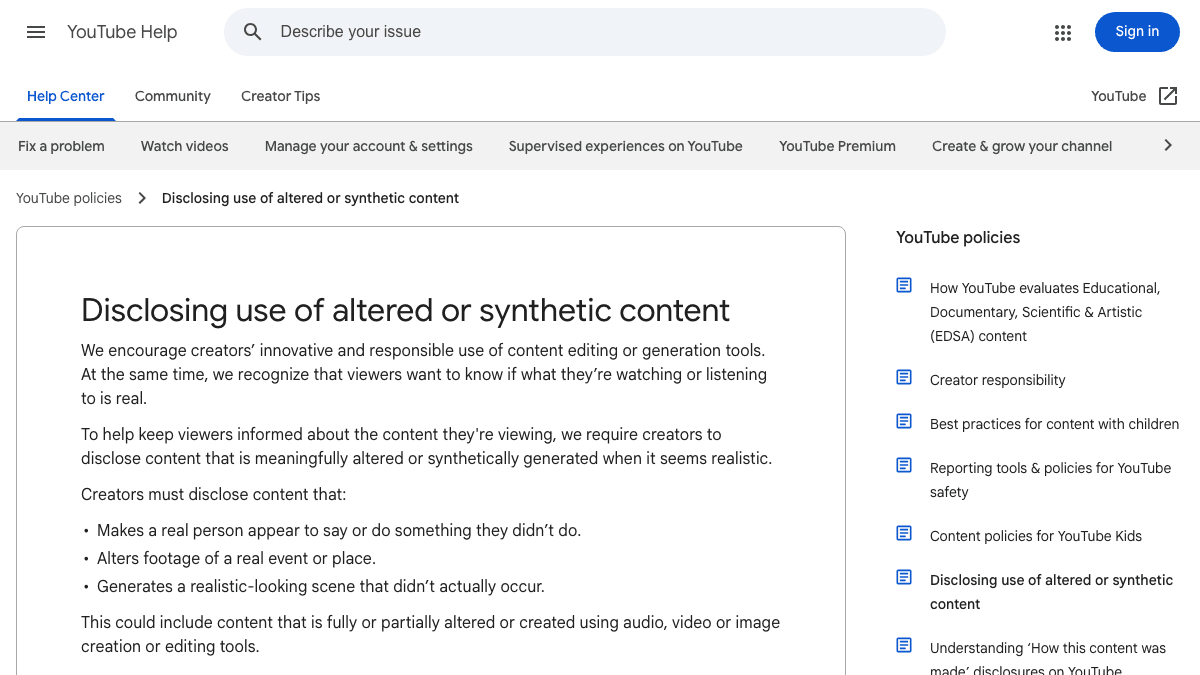
YouTube's synthetic content guidance says creators should disclose when content is altered or synthetic and realistic. Its help page explains that disclosure is especially important when content makes a real person appear to say or do something they did not, alters footage of a real event or place, or generates a realistic-looking scene that did not occur.
Before scheduling an AI-generated Short, check:
- Does it include realistic AI-generated people, voices, places, or events?
- Could viewers believe a real person said or did something they did not?
- Does the video imply a fake endorsement, emergency, public event, or news claim?
- Are claims sourced when the topic is health, finance, legal, political, or current?
- Does the title or caption add context that the video itself needs?
Faceless creation can reduce the need to appear on camera. It does not remove responsibility for what the video says or implies. The more automated your workflow becomes, the more important these review gates become.
A Simple Weekly YouTube Shorts Automation Plan
Do not automate a full month before you know the format works. Start with a small weekly cadence that leaves room for review and learning.
| Day | Action | Output |
|---|---|---|
| Monday | Choose one topic cluster and one repeatable format | Three focused Short briefs |
| Tuesday | Write hooks and generate drafts | One or two AI Shorts drafts |
| Wednesday | Review captions, sources, title, description, and disclosure | One finished Short |
| Thursday | Schedule the Short and prepare TikTok or Reels versions | Scheduled post plus cross-platform drafts |
| Friday | Review comments and early performance signals | Keep, revise, or stop the format |
This cadence is slow enough to protect quality and fast enough to learn. If the format works, expand it into a series. If it does not, fix the hook, promise, or niche before increasing output.
The same idea can become a TikTok or Reel, but the packaging may need small changes. YouTube often rewards a clear searchable title and topic consistency. TikTok may need a more conversational opener. Reels may need a cleaner cover frame for profile-grid viewing.
Common Mistakes With Shorts Posting Automation
Automating before the format works
Automation does not fix a weak premise. Test the hook, structure, and visual style first, then automate the parts that are already repeatable.
Treating the scheduler as the strategy
A publishing calendar helps with consistency, but the strategy is the series promise, audience, format, and review loop.
Skipping caption review
AI captions can be close and still wrong. Check names, numbers, technical terms, and line breaks before scheduling.
Publishing the same package everywhere
The core video can travel across Shorts, TikTok, and Reels, but titles, captions, hashtags, first frames, and CTAs often need platform-specific edits.
Ignoring policy and disclosure fields
If a tool hides YouTube settings that affect privacy, made-for-kids status, synthetic content, or scheduled publishing, it is not giving you enough control.
Final Recommendation
Choose a YouTube Shorts automation tool based on the job you need done. Use YouTube Studio when the Short is complete and you only need a scheduled publish time. Use a social scheduler when you already have videos and need a calendar across channels. Use a custom API workflow when you have engineering resources and a clear compliance path.
Choose SwipeStory's AI YouTube Shorts generator when the real problem is creating the Short in the first place. It is the cleaner path for creators who want prompts or scripts to become finished vertical videos with voiceover, captions, visuals, music, rendering, and scheduled publishing in one workflow.
Frequently Asked Questions
What is a YouTube Shorts automation tool?
A YouTube Shorts automation tool helps with one or more repeatable parts of Shorts production: idea generation, script writing, video creation, captioning, rendering, scheduling, publishing, or performance review. The best choice depends on whether your bottleneck is creation or posting.
Can YouTube Shorts be scheduled?
Yes. YouTube Help says scheduled publishing lets you schedule a private video to go public at a specific time. For basic scheduling, YouTube Studio is often enough. For prompt-to-video creation, use an AI video workflow first.
Is a scheduler the same as an AI Shorts generator?
No. A scheduler queues a finished video. An AI Shorts generator helps create the video from a prompt, script, image, or topic. Many creators need both, but they solve different problems.
How many Shorts should I automate per week?
Start with a small batch, usually one to three reviewed Shorts per week, until the format works. Increase volume only after you know the hook, pacing, captions, and topic promise are consistently strong.
Sources
- YouTube Help: Schedule video publish time
- YouTube Help: Understand three-minute YouTube Shorts
- YouTube Data API: Videos resource
- YouTube API Services Developer Policies
- YouTube Help: Disclosing use of altered or synthetic content
- Buffer: Schedule YouTube Shorts
- SwipeStory: AI YouTube Shorts Generator