TikTok Automation Tool Guide

Stella writes SwipeStory guides about AI faceless video creation, short-form video strategy, creator tools, and automated publishing workflows.
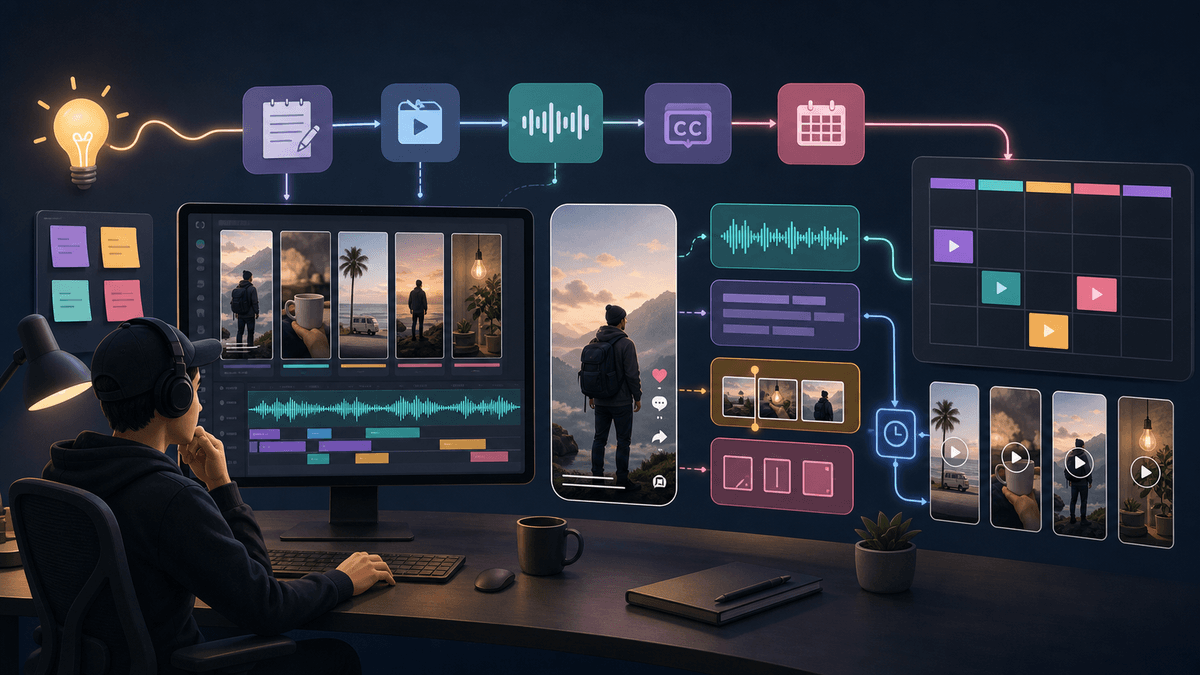
A good TikTok automation tool does not just queue posts. It helps you turn one clear idea into a finished vertical video, review the script, captions, AI disclosure, and platform settings, then schedule the post without losing control. If your starting point is a prompt, script, or faceless channel idea, start with SwipeStory's AI TikTok video generator. If your starting point is an already edited video and a caption, a social scheduler may be enough.
Updated May 18, 2026. We checked current TikTok Business, TikTok Developer, TikTok Help Center, Later, Buffer, Hootsuite, and SwipeStory product pages before writing this guide. TikTok automation rules and product features can change, so use the linked official and product sources as your final reference before building a high-volume workflow.
Quick Answer: What Should a TikTok Automation Tool Do?
A TikTok automation tool should save production and publishing time without turning your account into a low-quality batch machine. For creators, the practical automation stack has five jobs:
| Job | What the tool should help with | What still needs human review |
|---|---|---|
| Ideation | Turn topics into specific hooks and series formats | Whether the idea is original enough to publish |
| Production | Generate or assemble scenes, voiceover, captions, music, and a 9:16 edit | Claims, pronunciation, visual accuracy, and pacing |
| Scheduling | Queue finished videos at planned times | Whether the post is still timely and relevant |
| Compliance | Surface AI labeling, privacy, duet, stitch, and comment settings | Whether the content is misleading, synthetic, or sensitive |
| Learning | Track what formats earn watch time, saves, comments, or profile clicks | Whether to make more, revise the format, or stop |
That is why "automation" is not one product category. TikTok's native scheduler, social media management platforms, developer API workflows, and AI video generators all automate different parts of the process. The right choice depends on whether your bottleneck is posting, calendar management, or making the video in the first place.
For most faceless creators, the biggest bottleneck is still content production. You need a repeatable path from hook to script to visuals to voiceover to captions. That is where SwipeStory fits better than a pure scheduler.
Start With TikTok's Native Scheduler Limits
TikTok's own Video Scheduler is the cleanest baseline because it tells you what the platform itself expects from a finished post. TikTok Business says the scheduler is available on the web upload page, lets creators and Business Accounts schedule videos from 15 minutes to 10 days ahead, and requires a Business Account for desktop scheduling. It also says you cannot edit the video, caption, or scheduled time after scheduling; you need to delete and re-upload if something changes.
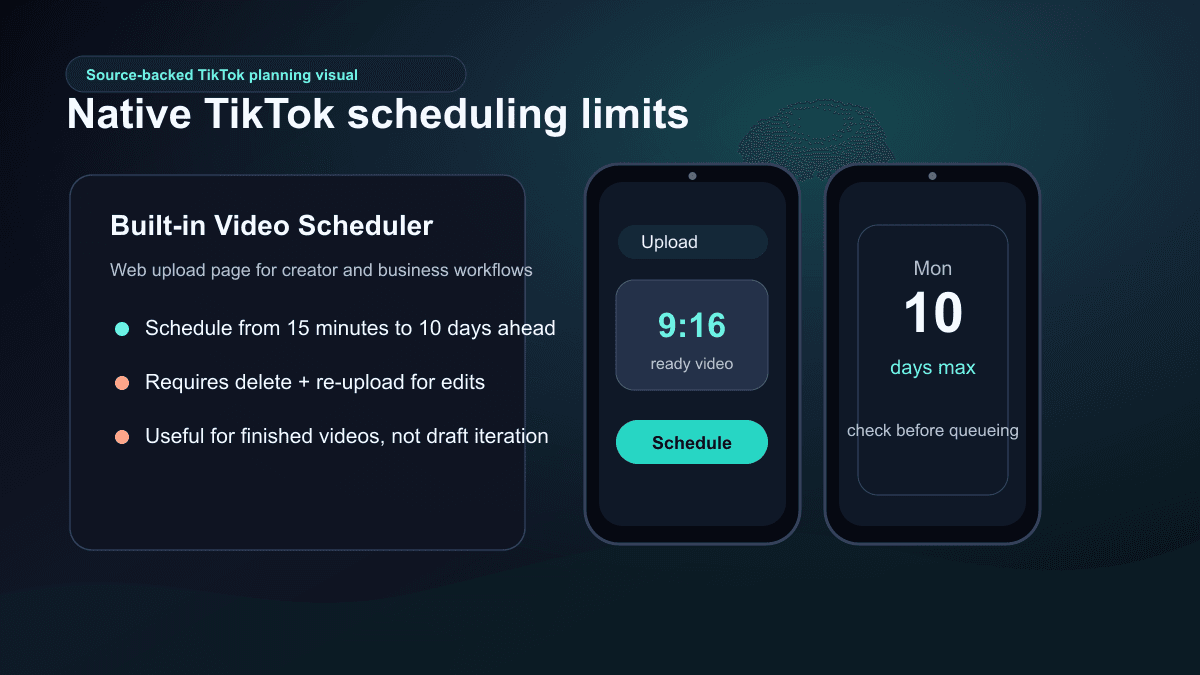
That makes the native scheduler useful when:
- The video is already final.
- You only need a short scheduling window.
- You manage one account or a small posting calendar.
- You are comfortable doing the actual video creation elsewhere.
It is less useful when you need prompt-to-video creation, team approvals, analytics across channels, recurring series planning, or cross-posting to YouTube Shorts and Instagram Reels. If you are making faceless TikToks from scratch, the scheduling window is only the last mile. The workflow before that is where most time is won or lost.
Understand What TikTok's API Actually Automates
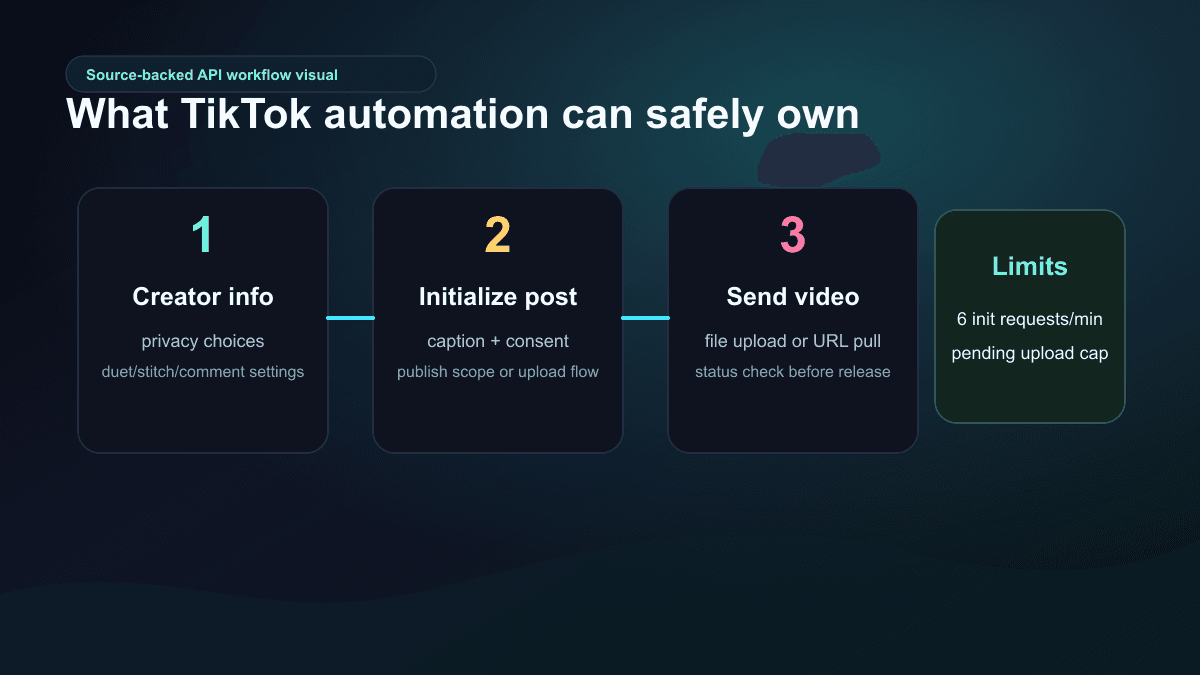
TikTok's Content Posting API supports more automation than the native scheduler, but it is not a blank check for unsafe posting bots. The current developer documentation shows a structured Direct Post flow: query creator info, initialize a post request, and send the video to TikTok servers. The docs also show that direct posting requires creator metadata and consent, uses the video.publish scope, and includes privacy, comment, duet, stitch, title, and source fields.
The details matter. TikTok's Direct Post reference lists a limit of six posting-init requests per minute per user access token, and the upload-without-posting reference says users must click inbox notifications to complete that manual posting flow. It also notes a pending-share cap: at most five pending shares within a 24-hour period for that upload flow.
For creators, this means the safest automation mindset is:
- Use official or approved publishing flows.
- Keep post settings visible before publishing.
- Avoid tools that promise hidden engagement automation, fake interactions, or scraping-heavy shortcuts.
- Build review gates for captions, claims, labels, privacy, and account-specific settings.
If a vendor describes TikTok automation as "set it and forget it" without explaining how publishing, consent, limits, and review work, treat that as a warning sign.
Choose the Tool Type Based on Your Bottleneck
There are three common paths.
| Bottleneck | Best tool type | Good fit | Poor fit |
|---|---|---|---|
| You already have finished TikTok videos | Native scheduler or social scheduler | Solo creators, small calendars, simple queues | Script generation, faceless visual creation, voiceover |
| You manage many channels or clients | Social media management suite | Team calendar, approvals, analytics, inbox, cross-channel planning | Fully generating the TikTok video from a prompt |
| You need to create videos from ideas | AI video generation workflow | Faceless channels, script-to-video, recurring series, cross-platform shorts | Complex live-action editing or heavy manual brand design |
Later's TikTok scheduler product page positions the tool around scheduling, auto-publishing, comment moderation, analytics, and link-in-bio workflows. Hootsuite's TikTok page emphasizes scheduling, analytics, recommended posting times, follower demographics, and inbox management across multiple social channels. Buffer's TikTok page shows TikTok creation and scheduling controls inside a broader publishing workspace.
Those are useful product categories, especially for teams. But if you still need to write the script, create visuals, generate voiceover, sync captions, and render the video, they do not replace an AI TikTok video generator. They sit after production.
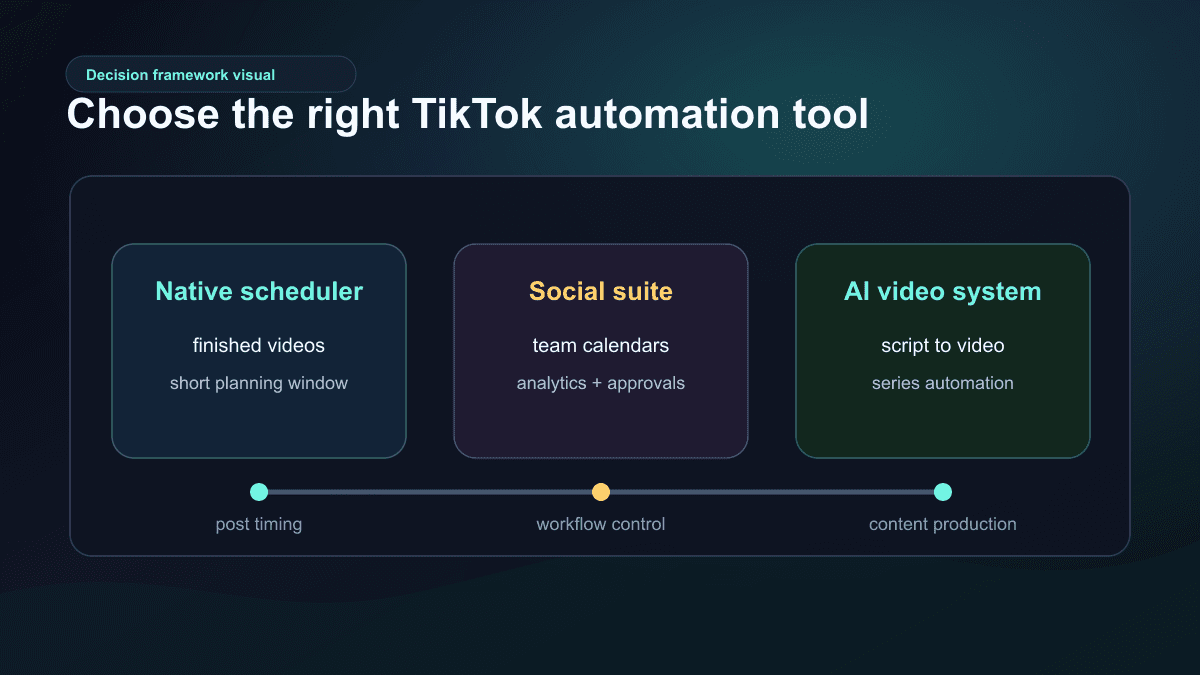
The simplest rule is this: use a scheduler when the video is done; use an AI video system when the video does not exist yet.
A Safer AI TikTok Automation Workflow
The best AI TikTok automation workflow is repeatable but not blind. It should help you create a series, not flood a feed with unreviewed drafts.
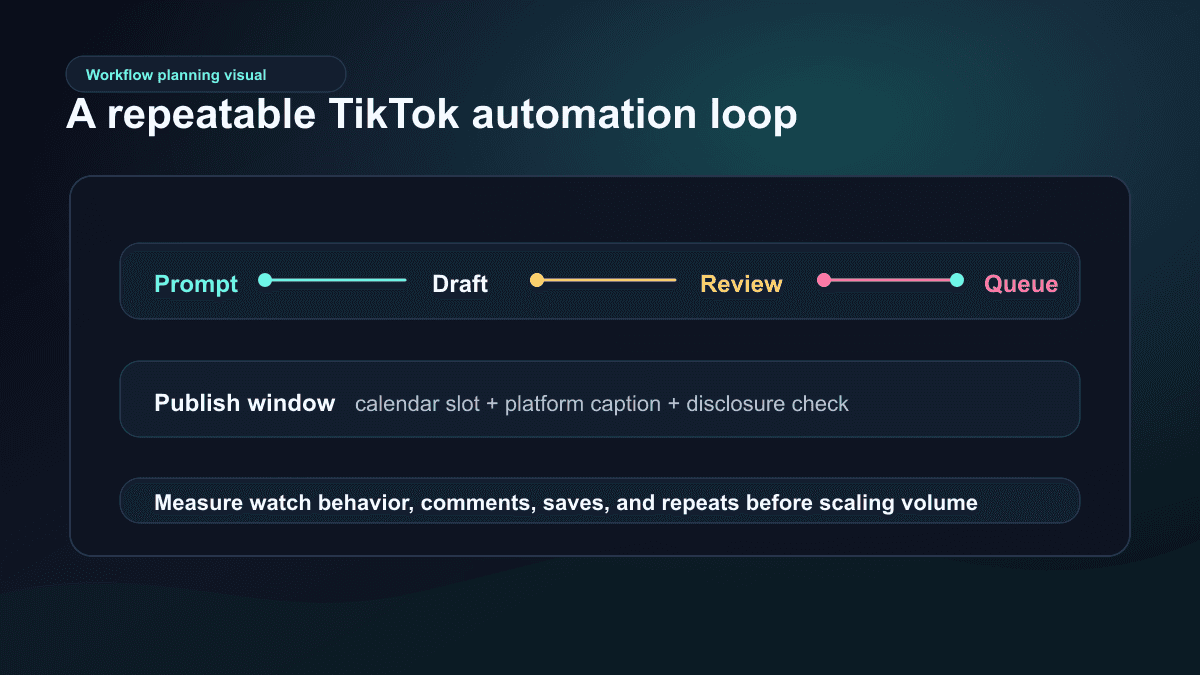
Use this loop:
- Pick one repeatable format.
- Write three hooks for the same idea.
- Generate one or two drafts, not ten unrelated videos.
- Review the first frame, spoken hook, captions, claims, sources, AI disclosure, and CTA.
- Queue only the strongest version.
- Watch early performance signals before expanding the series.
TikTok's recommendation documentation says recommendation systems consider factors such as user interactions, content information, and user information, and that the importance of factors can change over time. That is why automation should optimize for better videos, not only more posts. Posting a larger batch of weak videos does not solve a weak hook, unclear caption, or generic premise.
For a practical production companion, pair this guide with TikTok hook examples and AI video prompts for Shorts. Those pages help with the inputs that make automation work: a specific viewer, a sharp opening line, and a scene plan the AI can actually execute.
Where SwipeStory Fits
SwipeStory is strongest when the automation problem starts before scheduling. It turns prompts or scripts into vertical videos with AI-generated visuals, voiceovers, captions, background music, editing, rendering, and scheduled publishing for TikTok, YouTube Shorts, and Instagram Reels.
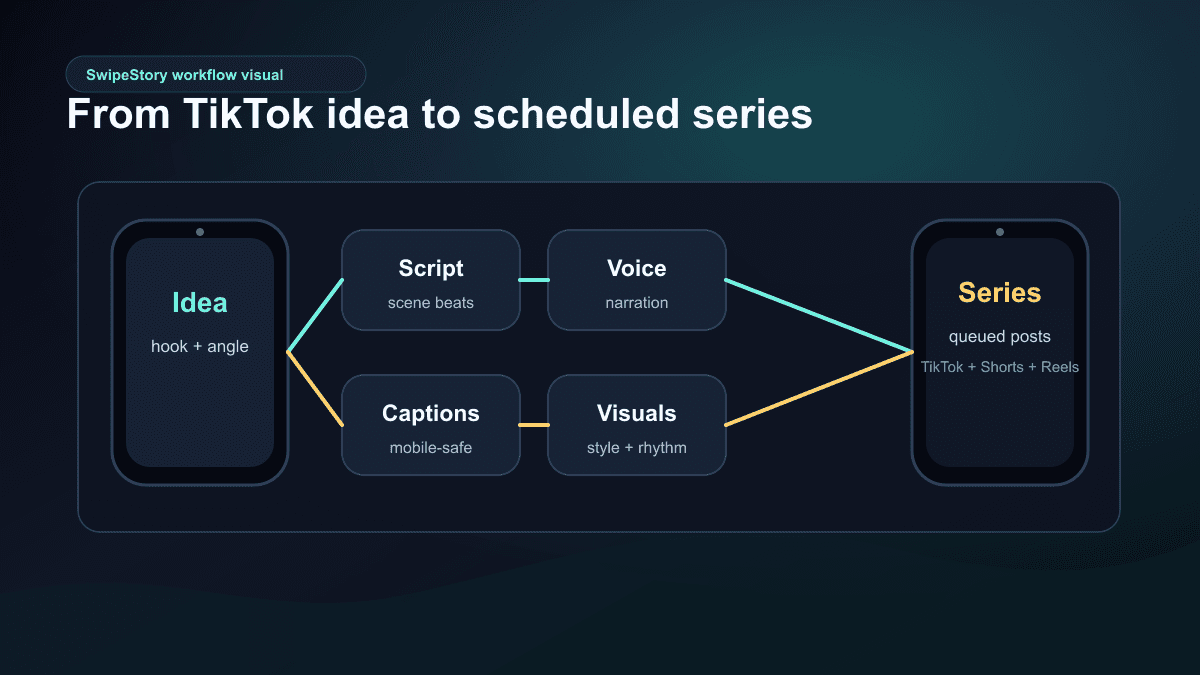
Use SwipeStory's TikTok generator when:
- You want to turn a script or idea into a complete TikTok draft.
- Your channel is faceless or voiceover-led.
- You need captions and visuals generated together instead of stitched manually.
- You want to adapt the same idea for YouTube Shorts or Instagram Reels.
- You are building a recurring series and need a workflow that can repeat.
Use a social suite first when your team already has polished videos and mostly needs approvals, calendars, analytics, and inbox workflows. Use a clipping tool first when your best TikTok content already exists inside long-form footage.
If your channel is intentionally faceless, bookmark the faceless AI video generator. If you are deciding how much volume to generate, check SwipeStory pricing before building a weekly posting plan around credits and scheduled series.
AI Labeling and Review Checks Come Before the Queue
AI TikTok automation needs one extra gate: disclosure. TikTok's AI-generated content help page says creators are required to label AI-generated content that contains realistic images, audio, and video. TikTok also describes creator labels, automatic labels, and Content Credentials, and notes that auto-applied AI labels cannot be removed from a post.
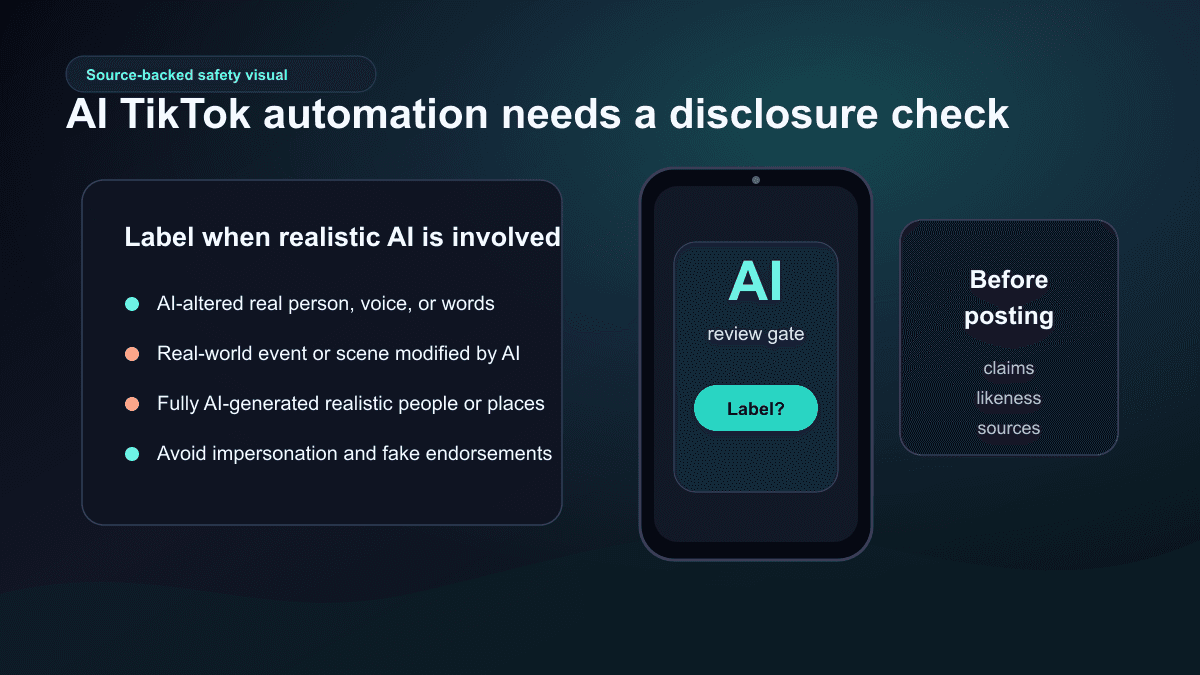
Before scheduling an AI-generated TikTok, check:
- Does the video include realistic AI-generated people, voices, places, events, or altered real footage?
- Could a viewer reasonably think a real person said or did something they did not?
- Does the video imply a fake endorsement, official statement, or real-world event?
- Are claims sourced, especially for health, finance, legal, political, or current-event topics?
- Are captions clear about the point of the video instead of hiding important context?
Faceless video creation reduces the need to appear on camera. It does not remove responsibility for the content. The more automated your workflow becomes, the more important these review gates become.
A Practical Weekly TikTok Automation Plan
If you are starting from zero, do not automate a full month on day one. Build a small weekly rhythm first.
| Day | Action | Output |
|---|---|---|
| Monday | Pick one series format and three topics | Three focused video briefs |
| Tuesday | Write hooks and generate drafts | Two or three AI TikTok drafts |
| Wednesday | Review captions, sources, disclosure, and pacing | One or two finished videos |
| Thursday | Queue posts and prepare Shorts/Reels variants | Scheduled TikTok plus cross-platform drafts |
| Friday | Review performance and comments | Keep, revise, or stop the format |
This is enough volume to learn without creating a review backlog. If a format starts working, expand it into a series. If it does not, change the hook, promise, or niche before increasing output.
The same principle applies across platforms. A TikTok can become a YouTube Short or Reel, but the packaging may need to change. For a broader cross-platform workflow, read the AI Shorts generator guide after this article.
Common Mistakes With TikTok Posting Automation
1. Automating before the format works
Do not scale a weak format. Test the hook, structure, and visual style first, then automate the pieces that are already repeatable.
2. Treating the scheduler as the strategy
A calendar helps you publish consistently, but it does not create better ideas. The strategy is the series format, viewer promise, and review loop.
3. Using one caption everywhere
TikTok, Shorts, and Reels can share one core video, but the caption, title, cover frame, or CTA may need platform-specific edits.
4. Skipping the AI label check
If the content is realistic and AI-generated or substantially AI-edited, review TikTok's current labeling guidance before posting.
5. Trusting tools that promise unsafe automation
Avoid tools that sell fake likes, comments, follows, scraping, account warming, or hidden engagement tricks. A durable automation workflow should make production and scheduling more efficient, not put the account at risk.
Final Recommendation
The best TikTok automation tool is the one that automates your real bottleneck. If your videos are already finished, a native scheduler or social media suite may be enough. If you are trying to build a faceless TikTok channel from prompts, scripts, or recurring ideas, start with an AI video workflow instead.
Use SwipeStory's AI TikTok video generator to turn one idea into a finished draft with visuals, voiceover, captions, editing, rendering, and publishing support. Then use scheduling deliberately: queue reviewed videos, keep a human approval step, and scale only the formats that earn actual viewer behavior.
Frequently Asked Questions
What is the best TikTok automation tool?
The best TikTok automation tool depends on your bottleneck. Use a social scheduler when your videos are finished and you need a calendar. Use an AI TikTok generator when you need to create the video from a prompt, script, or faceless idea.
Can TikTok posts be scheduled automatically?
Yes. TikTok has a native Video Scheduler for the web upload workflow, and third-party tools can support TikTok scheduling or auto-publishing depending on account type, product permissions, and platform limits. Always check current product documentation before relying on a tool for high-volume posting.
Is AI TikTok automation safe?
It can be safe when you use official publishing paths, review every generated video, avoid fake engagement automation, and follow TikTok's AI-generated content labeling rules. It becomes risky when tools promise fully hands-off volume without review, disclosure, or account-specific settings.
Should I automate TikTok, YouTube Shorts, and Reels together?
You can reuse one core idea, but do not assume one post package is ideal everywhere. Use one strong 9:16 video master, then adapt the caption, title, cover frame, CTA, and posting cadence for each platform.
Sources
- TikTok Business: Video Scheduler
- TikTok Developers: Content Posting API get started
- TikTok Developers: Content Posting API Direct Post reference
- TikTok Developers: Upload video without posting reference
- TikTok Help: About AI-generated content
- TikTok Help: How TikTok recommends content
- Later: TikTok Scheduler
- Buffer: Schedule TikTok posts
- Hootsuite: TikTok scheduling and analytics